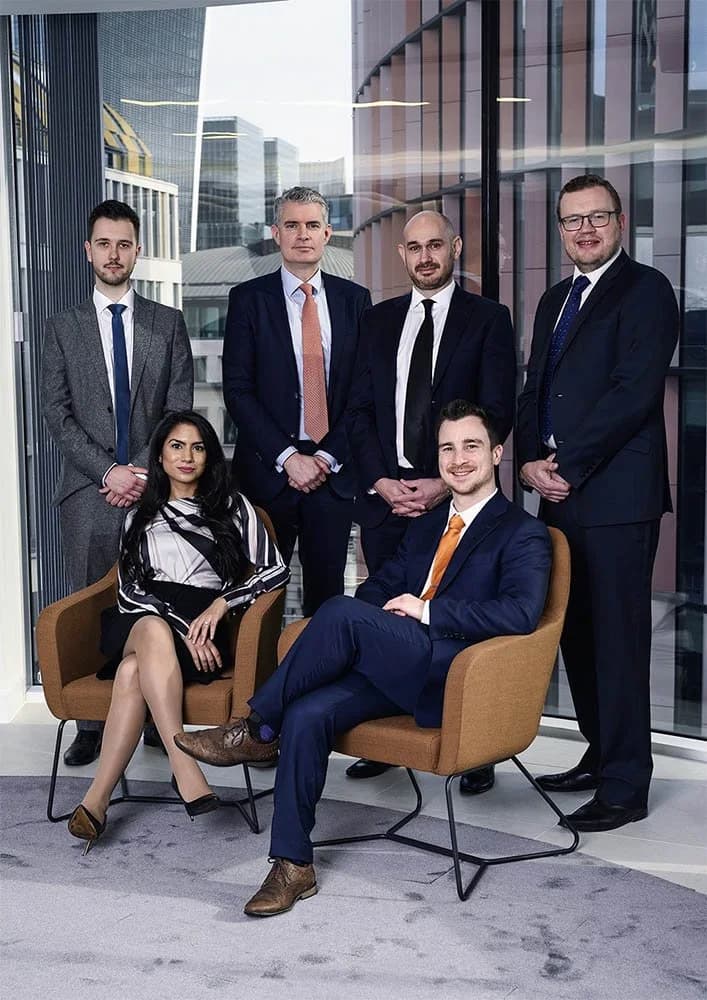
Corporate Team Headshots: How to Organise a Shoot for Your Company
If you have been given the job of organising headshots for your company, congratulations. It is one of those tasks that sounds simple until you actually start planning it. Suddenly you are dealing with schedules, wardrobe guidance, reluctant colleagues who "hate having their photo taken," and the eternal question of who is going to reply to the calendar invite.
I have photographed corporate teams of all sizes, from a handful of founders to teams of 50 plus. Here is how to make it go smoothly.
Start With the Brief
Before you contact a photographer, get clear on what you need. A few questions to answer internally: How many people need headshots? Where will the images be used (website, LinkedIn, email signatures, press, all of the above)? Do you want a consistent look across the team or is there flexibility? Is there a deadline?
Having this information ready makes the initial conversation with the photographer much smoother. It also means you get an accurate quote rather than a vague estimate.
Studio vs Your Office
Both options work. Studio shoots give you the most controlled, consistent results. Every person gets the same lighting setup, the same backdrop, and the same professional environment. The trade-off is that people need to travel to the studio.
On-location shoots at your office are more convenient for the team. A good photographer will bring portable lighting and a backdrop to set up in a suitable space (a meeting room, a quiet corner, whatever works). The results can be just as good, though the photographer needs a bit of space and ideally some control over the ambient light.
I do both. For smaller teams, studio sessions work well. For larger groups, coming to your office often makes more sense logistically.
Scheduling Without Chaos
This is where most corporate shoots hit problems. Here is what works: allocate a specific time slot per person, usually five to ten minutes for a corporate headshot. Send a shared calendar with slots that people can sign up for. Build in a buffer between slots for the inevitable person who runs late.
For a team of 20, you are looking at roughly a half-day shoot. For 40 plus, plan a full day. I photograph up to 50 people in a day; larger teams are spread over more than one. Factor in setup and breakdown time too, usually about 30 minutes at each end.
The most efficient approach I have found is blocking out the morning for one department and the afternoon for another. This avoids the entire company trying to figure out the same Google Sheet simultaneously.
What to Tell Your Team
Send a brief email (or Slack message, whatever your company uses) covering the basics: when and where the headshots are happening, what the dress code is, and approximately how long their slot will take.
On wardrobe: keep it simple. Solid colours, smart-casual to formal depending on your company culture. Avoid busy patterns and large logos. If your company has brand colours, wearing something that complements (not matches) them can work nicely.
For the people who are anxious about it: reassure them that it takes about ten minutes, that the photographer will direct them (they do not need to know how to pose), and that they will be able to see the results and choose their favourite. This takes a lot of the dread out of it.
Getting a Consistent Look
If you want all the headshots on your website to look like they belong together, consistency is key. Same lighting setup, same backdrop, same crop, same retouching style. This is much easier to achieve when one photographer shoots the entire team in one session or across a few sessions.
Where it goes wrong is when different people get their headshots done at different times with different photographers. You end up with a team page where one person looks like they are in a corporate catalogue, another looks like a LinkedIn selfie, and a third looks like they wandered in from a wedding.
What Happens Afterward
After the shoot, the selected images are retouched. For corporate headshots I keep the retouching natural: temporary blemishes removed, darkness under the eyes lightly reduced and a consistent colour grade across the whole team. There is more on this on my retouch page.
Everyone gets a password-protected proof gallery, usually within 36 hours of the shoot, to choose their favourites. The edited images follow within 10 to 14 business days of selection, in high-resolution and web-optimised versions.
A Few Things That Make Life Easier
Have someone internally who is the point of contact for the photographer. One person managing the schedule and communication is infinitely better than six people sending conflicting emails.
Book the space in advance and make sure it is not going to be double-booked for a meeting. This sounds obvious, but you would be surprised.
If you are doing on-location, check the space beforehand or send the photographer some photos of the room. Knowing the space in advance means no surprises on the day.
Planning corporate headshots for your team? Have a look at my corporate headshot packages. I handle teams of all sizes and can come to your office or host the session at my Herne Hill studio. Drop me a message to discuss what you need.